
FreeBar
Available storage, without opening Finder or Disk Utility.
FreeBar keeps practically available storage visible in the macOS menu bar for the Mac and normally mounted local physical drives.
- Version
- FreeBar v0.1.0
- Platform
- macOS 13+ · Apple Silicon
- Refresh
- ≈ 5 seconds + events
- License
- MIT
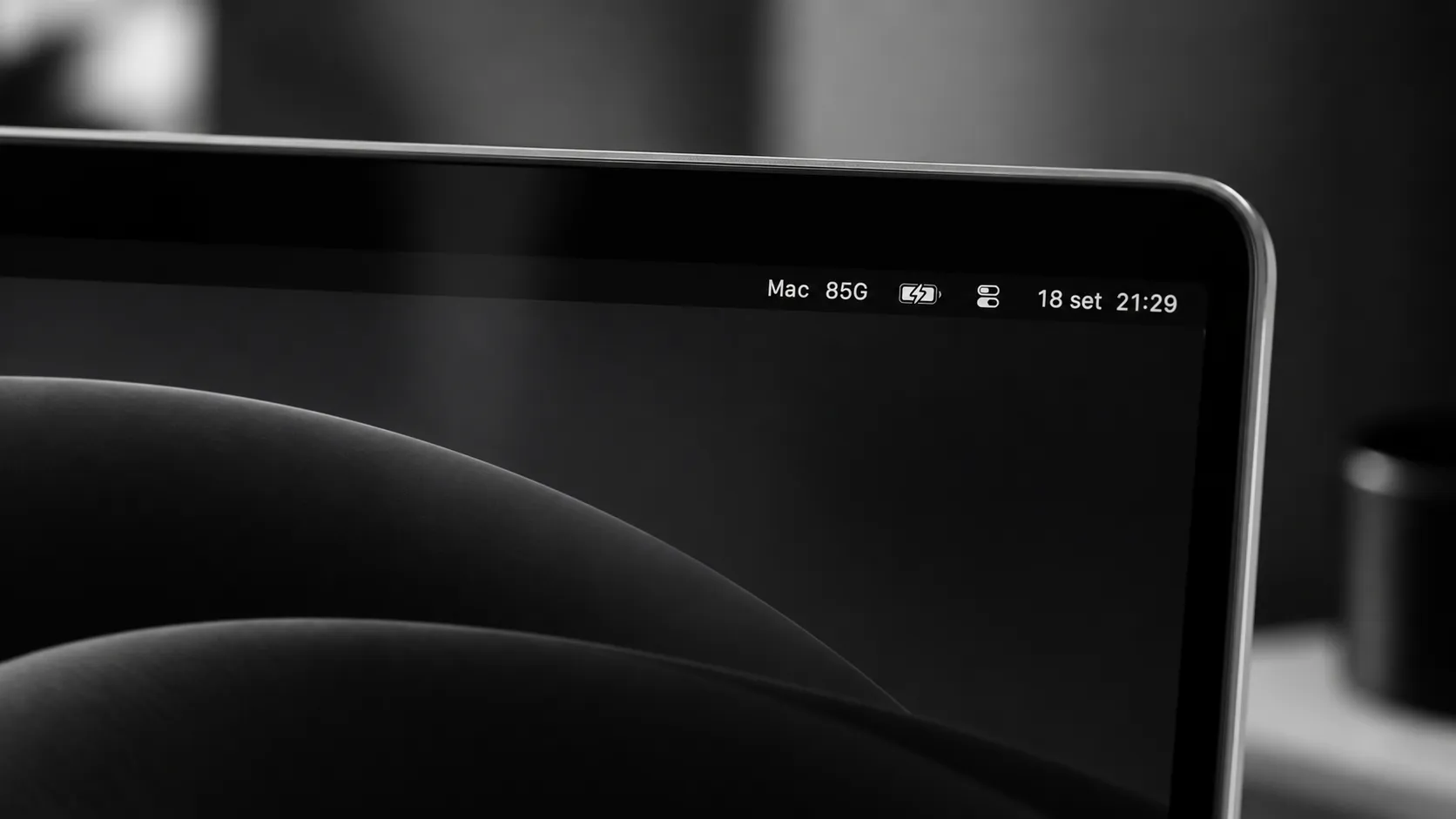
The space macOS considers practically available.
FreeBar prefers Foundation’s volumeAvailableCapacityForImportantUsage and falls back to volumeAvailableCapacity. The result can include reclaimable space, so it may differ from the raw immediately-free value shown by tools such as df.
- M / G / T
- Decimal units
- Mac
- Primary volume
- + drives
- Local physical storage
10⁶ / 10⁹ / 10¹² bytes.
Shown once for the main writable macOS storage.
Normally mounted SSDs, HDDs, USB drives and SD cards when safely identified.
Event-driven topology. Lightweight capacity refresh.
Mount, unmount, rename and wake events trigger rediscovery. Capacity updates run on a utility queue, refresh requests are coalesced and stale asynchronous work cannot update a restarted monitor.
- No shell polling or recurring child processes.
- Disk Arbitration and Foundation metadata filter physical local storage conservatively.
- System helper volumes, DMGs, virtual filesystems and network shares are excluded.
- The menu title is reassigned only when the resulting text actually changes.
A small native pipeline from mounted volumes to one menu-bar line.
FreeBar uses only native macOS frameworks for discovery, capacity reads, menu-bar UI and Launch at Login.
macOS mount table
      │
      ▼
Disk Arbitration + Foundation metadata
      │
physical/local filter
      │
      ▼
 StorageReader
      │
available capacity
      │
      ▼
 StorageMonitor
 event refresh + ~5s timer
      │
      ▼
NSStatusItemThe hardening pass validated the core app behavior.
The documented verification covers warnings-as-errors builds, 10 XCTest tests, native bundle validation, automatic capacity refresh, manual Refresh, Launch at Login, reinstall/uninstall safety, virtual-volume exclusion, privacy and resource use.
- 10 / 0
- XCTest / failures
- 0.0%
- Observed idle CPU
- ≈ 42.5 MiB
- Observed RSS
- 0
- Child processes
Short sanity-check sampling.
Stable during the recorded short run.
During validation.
Fully local and single-purpose.
FreeBar queries only filesystem and device metadata needed to identify mounted storage and report available capacity.
- No telemetry, analytics, accounts or advertising.
- No networking or update service.
- No file scanning and no user-file contents are read.
- Privacy manifest declares no collected data and no tracking.
Install the compiled app from GitHub Releases.
The v0.1.0 release includes a ready-to-use macOS ZIP. Xcode, Swift, Homebrew and Command Line Tools are not required on the destination Mac.
Download v0.1.0- Download FreeBar-v0.1.0-macOS.zip.
- Extract FreeBar.app.
- Move FreeBar.app to Applications.
- Open FreeBar; use its menu for Refresh, Launch at Login or Quit.
The current build is ad-hoc signed and is not yet Developer ID notarized. If Gatekeeper blocks the first launch, control-click the app, choose Open and confirm.
Conservative by design.
FreeBar considers normally mounted local physical storage only. The final hardening run did not re-test with an external physical drive attached; hardware-dependent external-drive, sleep/wake and older-macOS checks remain outside that final run. iPhone/iPad storage is not supported.

Storage you can use, kept visible and out of the way.
FreeBar v0.1.0 is available for macOS 13+ under the MIT License.