
RamBar
Meaningful RAM usage, without opening Activity Monitor.
RamBar keeps one whole-number RAM utilization value visible in the macOS menu bar and samples native Mach VM statistics approximately every two seconds.
- Version
- RamBar v0.1.0
- Platform
- macOS 13+ · Apple Silicon
- Refresh
- ≈ 2 seconds
- License
- MIT
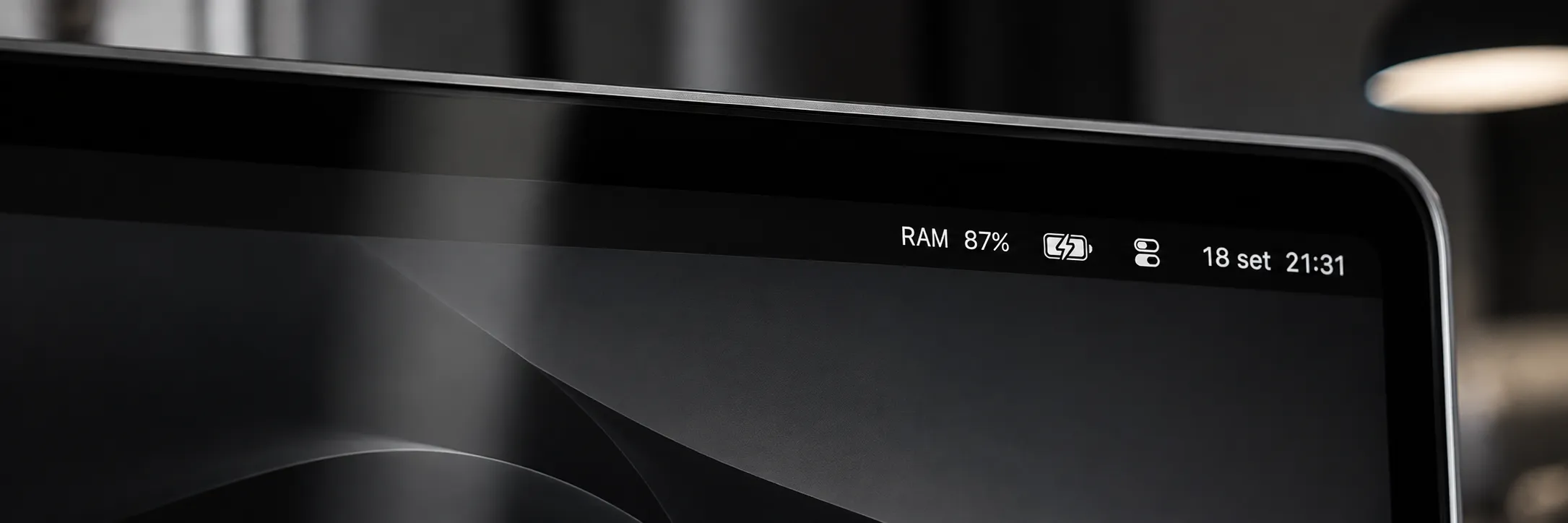
Used physical memory, not just “total minus free”.
macOS uses idle memory for caches, so raw free memory is not a useful utilization metric. RamBar estimates Activity Monitor-style Memory Used as physical memory minus reclaimable pages, with defensive clamping to the physical-memory range.
- RAM %
- Menu-bar output
- 76%
- Many-app observation
- −0.6 pp
- Observed difference
One whole-number utilization value.
Activity Monitor implied 76.6% in the documented comparison.
One real workload comparison; values were sampled independently.
Mach VM statistics, interpreted for modern macOS memory behavior.
The revised formula subtracts reclaimable pages from physical memory. Speculative pages are removed from free_count before external file-backed cache is included; compressor memory is already implicit in the physical-minus-reclaimable result and is not added again.
- Uses public native Mach VM statistics.
- No subprocess polling.
- Automatic sampling approximately every two seconds.
- Shows utilization only; it does not attempt to reproduce Apple’s Memory Pressure indicator.
A direct path from native VM counters to one percentage.
RamBar keeps the implementation intentionally narrow: sample native memory state, compute reclaimable memory, derive meaningful used physical memory and format one menu-bar percentage.
Mach VM statistics
      │
      ▼
native memory snapshot
      │
free - speculative
+ external/cache
+ purgeable
      │
      ▼
physical - reclaimable
      │
defensive clamp
      │
      ▼
   RAM XX%
NSStatusItemThe original under-reporting defect was resolved and regression-tested.
The final verification documents warnings-as-errors builds, 9 XCTest tests, native diagnostic snapshots, installation, automatic refresh, Activity Monitor comparisons, workload response, privacy, signing and resource behavior.
- 9 / 0
- XCTest / failures
- PASS
- Activity Monitor comparison
- 0.0%
- Observed idle CPU
- 0
- Network endpoints
During the recorded lsof inspection.
Local memory statistics only.
RamBar is a local menu-bar utility with no account, tracking or network dependency.
- No tracking or telemetry.
- No network access.
- No personal data.
- Privacy manifest included and validated.
Install the compiled app from GitHub Releases.
The v0.1.0 release includes a ready-to-use macOS ZIP. Xcode, Swift, Homebrew and Command Line Tools are not required on the destination Mac.
Download v0.1.0- Download RamBar-v0.1.0-macOS.zip.
- Extract RamBar.app.
- Move RamBar.app to Applications.
- Open RamBar; its menu contains Refresh, Launch at Login and Quit.
The current build is ad-hoc signed and is not yet Developer ID notarized. If Gatekeeper blocks the first launch, control-click the app, choose Open and confirm.
A percentage is not Memory Pressure.
RamBar reports RAM utilization, not Apple’s Memory Pressure signal, so a high percentage alone does not diagnose a memory problem. Small differences from Activity Monitor are expected because the two values are sampled independently while memory state changes continuously. The final validation did not manually exercise Refresh, Launch at Login or sleep/wake.

One useful RAM number, always visible.
RamBar v0.1.0 is available for macOS 13+ under the MIT License.